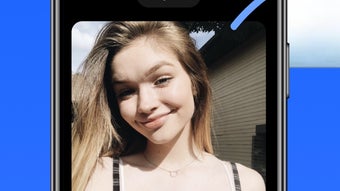

Share Photos Privately with WidgetPal
Overview
WidgetPal is a free iOS application developed by DOUBLE TROUBLE CREATIVES PTY LTD, designed to transform how users share private photos with friends or small groups throughout the day. Built specifically for iPhone and iPad, the app integrates directly into the home screen experience, functioning like a standard widget. This unique approach allows users to initiate photo sharing with selected contacts through a dedicated widget, streamlining communication and personal connection. The app is intended for individuals seeking a more intimate, low-friction method of sharing moments without relying on traditional messaging or social media platforms.
Target users include privacy-conscious individuals, close-knit friend groups, and anyone who values real-time, personal interaction over public or broadcast-style sharing. Use cases include sharing daily snapshots, coordinating moments during events, or maintaining private visual journals with trusted contacts. The app does not require users to create public profiles or manage large networks, focusing instead on curated, private exchanges. It operates similarly to existing home screen apps, ensuring familiarity and ease of access. The developer did not provide additional details about the app’s underlying architecture or data handling practices beyond its stated privacy focus.
Key Features & Capabilities
- Home Screen Widget Integration – WidgetPal functions as a native iOS widget, appearing directly on the home screen. This allows instant access to photo sharing without launching a separate app.
- Private Photo Sharing – Users can send photos to specific friends or groups through dedicated widgets, ensuring content remains within a controlled circle of recipients.
- Multiple Custom Widgets – The app supports the creation of multiple widgets, each linked to a different group of friends, enabling users to organize sharing by relationship or context.
- Direct Reply Functionality – When a friend sends a photo, users can respond with either a photo or text directly from the widget interface, maintaining a seamless conversation flow.
- Day-to-Day Interaction Design – The app is built for frequent, casual use throughout the day, emphasizing immediacy and intimacy in digital communication.
Each widget acts as a persistent channel for a specific group, making it ideal for daily check-ins, event coordination, or private visual storytelling. The ability to respond instantly with media or text reduces friction in conversations. Users can manage multiple groups simultaneously by creating separate widgets, each with its own recipient list. This design supports both spontaneous sharing and recurring interactions. The developer did not specify whether messages are encrypted or how long content is retained on servers.
User Interface, Workflow & Performance
WidgetPal’s user interface is designed to mirror the look and feel of standard iOS widgets, ensuring a consistent experience across the device. Navigation is minimal, with the primary interaction occurring directly through the widget on the home screen. Users can tap to open the sharing interface, select photos, choose a recipient group, and send with a single action. The workflow emphasizes speed and simplicity, reducing the number of steps between intention and action.
Given its integration with the home screen, the app operates in a lightweight manner, likely minimizing background activity. The developer did not specify resource usage details, such as CPU or RAM consumption. Performance observations are based on general software behavior patterns for similar lightweight iOS apps.
Stability is expected to be high, as the app runs within Apple’s tightly controlled ecosystem. No reports of crashes or freezes were provided. The app’s responsiveness appears to be optimized for on-device operations, with minimal latency in sending and receiving media.
Compatibility & System Requirements
WidgetPal is compatible with iOS devices, including iPhone and iPad models that support the latest version of the operating system. The app has a file size of 24.5 MB, indicating a lightweight installation. It is designed to function as a native widget, requiring no additional frameworks or third-party dependencies.
Exact system requirements were not listed. The developer did not specify minimum iOS version or hardware specifications such as RAM or processor type. Compatibility information was partially provided, focusing on platform support rather than technical details. Users should ensure their device is running a current version of iOS to access all features. The app’s reliance on home screen widgets suggests it may not function on older iOS versions that lack full widget support.
Pros and Cons
Pros
- Seamless integration with iOS home screen for instant access
- Supports multiple private sharing groups via separate widgets
- Designed for quick, private photo and text replies
- Free to download and use with no in-app purchases
- Lightweight size at 24.5 MB
Cons
- Limited to iOS devices; no support for Android or desktop platforms
- Exact privacy and security measures not disclosed
- No public reviews or user statistics available
- Dependent on Apple’s ecosystem and widget framework
- Functionality may be limited without detailed documentation
FAQ Section
Is WidgetPal available for Android devices?
WidgetPal is currently designed exclusively for iOS devices, including iPhone and iPad. There is no official Android version available at this time.
Does WidgetPal require an internet connection?
Yes, an active internet connection is required to send and receive photos and messages through the app. The app relies on cloud-based synchronization to deliver content between users.
How does WidgetPal ensure privacy?
While the app is described as private and intimate, the developer did not provide specific details about encryption methods, data storage, or access controls. Users should assume content is transmitted through secure channels unless otherwise stated.
Can I use WidgetPal offline?
Offline usage is not supported. The app requires an active internet connection to send and receive photos and messages. Any content sent while offline will not be delivered until connectivity is restored.
Is WidgetPal free to use?
Yes, WidgetPal is completely free to download and use. There are no in-app purchases or subscription fees at this time.
Final Thoughts
WidgetPal offers a fresh, focused approach to personal photo sharing by embedding private conversations directly into the iOS home screen. Its design prioritizes intimacy, simplicity, and speed, making it ideal for users who value meaningful, low-friction connections with close friends. The ability to create multiple widgets for different groups enhances organization and flexibility. While the app’s privacy model and backend infrastructure remain unspecified, its lightweight nature and seamless integration suggest a reliable experience within Apple’s ecosystem.
For those seeking a secure, private way to share daily moments without the noise of social media, WidgetPal presents a compelling option. It’s particularly well-suited for individuals who prefer visual storytelling in small, trusted circles. The app’s free model and native iOS integration make it accessible and easy to adopt.
Download WidgetPal now







